
Lightroom Classic: Editing Your Images with AI
Payment Options
After submitting your workshop registration, please complete your payment using one of the following methods:
Zelle: If your bank offers Zelle, you may send your payment to treasurer@tcpcinc.org. In the memo field, include the name of the workshop (for example, Lightroom Classic Editing) so your payment can be properly credited.
Credit Card, Debit Card, or PayPal: If you prefer, you can use the secure payment button below to pay online using PayPal or any major credit or debit card.
Unlock the full power of Adobe Lightroom Classic and transform your photographs faster than ever before.
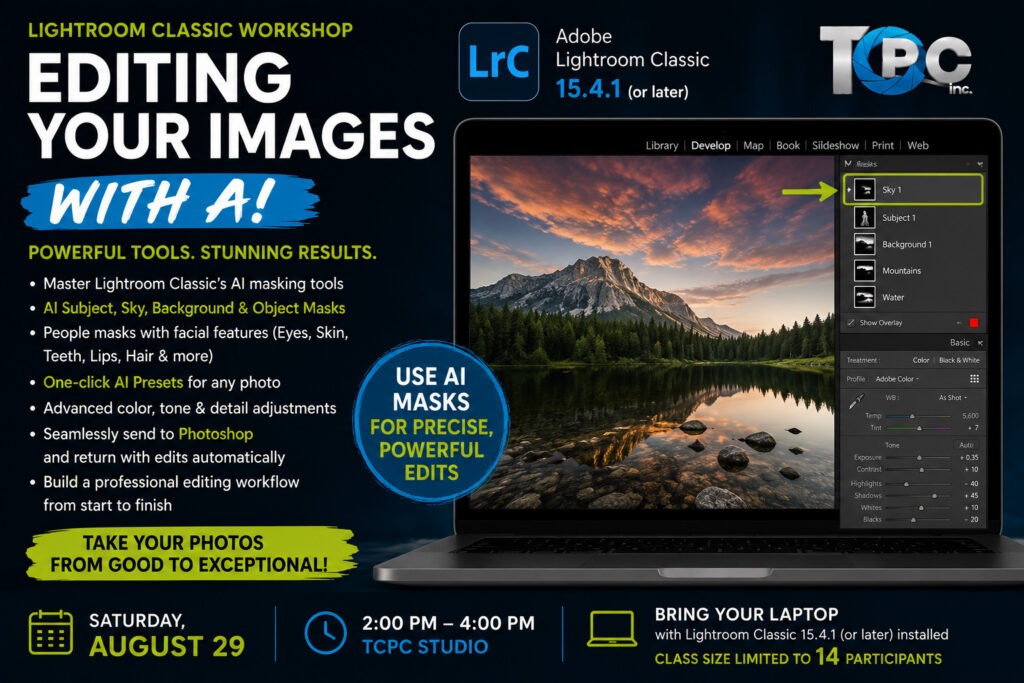
Today’s Lightroom Classic is far more than an image organizer—it’s an incredibly powerful editing application driven by artificial intelligence. In this hands-on workshop, you’ll learn a complete professional editing workflow using Adobe Lightroom Classic 15.4.1 (or later), taking your images from good to exceptional while preserving a completely non-destructive workflow.
Building on the organizational skills taught in the Organizing Your Images workshop, you’ll learn how to use Lightroom’s latest AI-powered editing tools to make precise, professional adjustments in just minutes. From one-click AI presets to sophisticated masking tools, you’ll discover how Lightroom intelligently identifies skies, people, landscapes, objects, and individual facial features, allowing you to make targeted adjustments that once required extensive Photoshop work.
You’ll also learn when Lightroom has reached its limits—and how seamlessly sending an image to Adobe Photoshop opens up virtually unlimited creative possibilities. We’ll demonstrate how Photoshop edits automatically return to your Lightroom catalog, keeping your entire workflow organized and efficient.
You’ll Learn
- Develop a complete professional editing workflow
- Master the Develop module from start to finish
- Correct exposure, contrast, white balance, and color
- Recover highlight and shadow detail
- Understand and use the Tone Curve
- Make precise color adjustments using Color Mixer and Color Grading
- Apply lens corrections and perspective adjustments
- Reduce noise and sharpen images effectively
- Crop and straighten for stronger compositions
Master Lightroom’s AI Tools
Learn how to use Lightroom’s newest AI-powered editing features, including:
- AI Subject Masking
- AI Sky Masking
- AI Background Masking
- AI Object Selection
- AI People Masking
- Individual Facial Feature Masks
- Eyes
- Skin
- Teeth
- Lips
- Hair
- Facial Hair
- Clothing
- Landscape Masks
- Automatic AI Presets
- Adaptive Portrait Presets
- Adaptive Sky Presets
- Adaptive Subject Presets
- Create and refine multiple masks
- Combine, subtract, and intersect masks for precise local adjustments
Lightroom and Photoshop Together
Discover how Lightroom and Photoshop work together as one powerful editing system.
You’ll learn how to:
- Send an image directly from Lightroom Classic to Adobe Photoshop
- Continue advanced editing in Photoshop
- Save your Photoshop work without exporting
- Automatically return the edited file to your Lightroom catalog
- Keep original and edited versions organized together
- Know when to stay in Lightroom—and when Photoshop is the better tool
This integrated workflow is used by professional photographers worldwide and allows you to take advantage of the strengths of both applications without disrupting your catalog.
Prerequisite
Participants should complete Lightroom Classic: Organizing Your Images with AI before attending this workshop. The editing class builds on the catalog structure, collections, and workflow established in the organization workshop.
Requirements
Participants must bring:
- A laptop computer
- Adobe Lightroom Classic 15.4.1 (or later) installed and fully updated
- Adobe Photoshop installed (recommended for the Photoshop integration portion)
- Your Lightroom catalog and image library
Please Note: This workshop covers Adobe Lightroom Classic and its integration with Adobe Photoshop. It does not cover the cloud-based Lightroom desktop, mobile, or web applications.
Workshop Information
Date: Saturday, August 29
Time: 2:00 PM – 4:00 PM
Location: TCPC Studio
Class Size: Limited to 14 participants to ensure personalized instruction and plenty of individual assistance.
What You’ll Leave With
By the end of this workshop, you’ll have a professional editing workflow that combines the power of Lightroom Classic’s AI tools with the advanced capabilities of Photoshop. You’ll edit more efficiently, make more precise adjustments, and create images that fully realize your creative vision—all while maintaining a clean, organized, non-destructive workflow.
Take your photographs from capture to masterpiece. Register today—class size is limited to just 14 photographers.